Weekly Check-in
Get a weekly progress summary posted automatically to your Slack channels. See what got done, what's coming up, and celebrate your team's work.
What is the weekly check-in?
The weekly check-in is an automatic message posted to a channel summarizing task activity for the past week. It includes:
- How many tasks were completed and created
- How many tasks are still open, due next week, or overdue
- Who contributed (when 3 or more tasks were completed)
- A heads-up about overdue tasks and upcoming deadlines
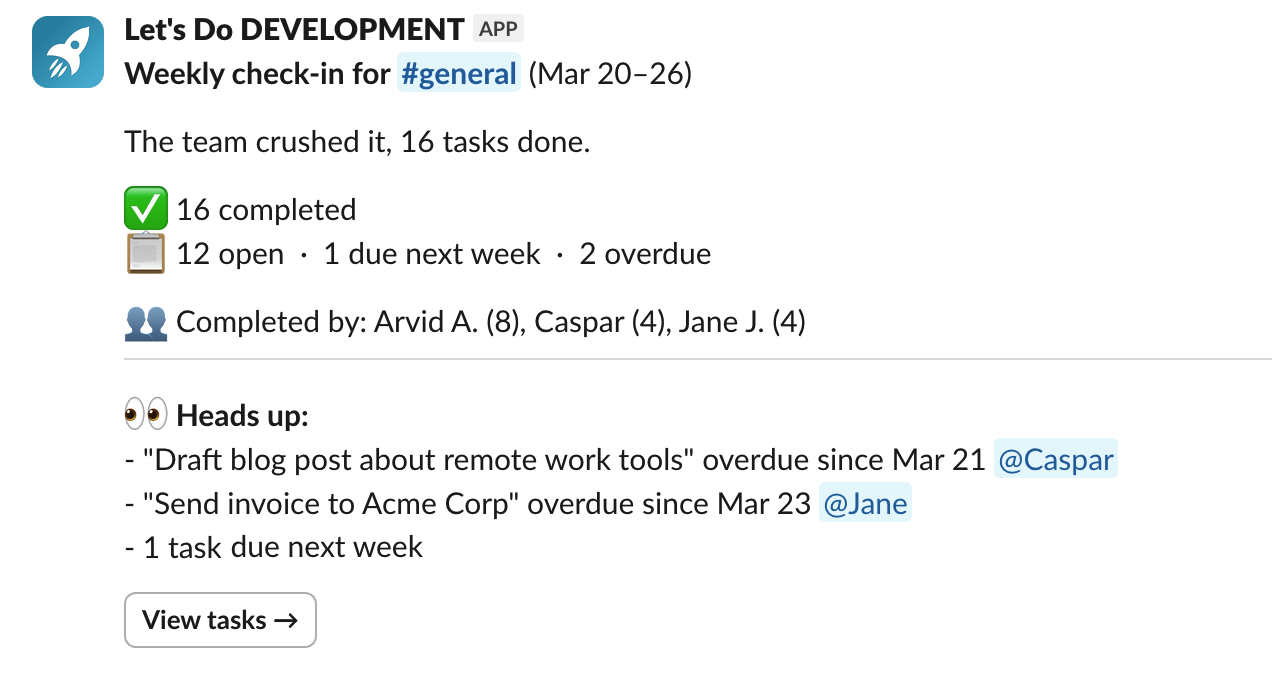
The check-in is designed to be a soft, celebratory team update, not a performance tracker. It highlights progress and helps everyone stay aligned.
Enabling the weekly check-in
The weekly check-in is off by default. You can enable it for any channel that has a to-do list. There are a few ways to turn it on:
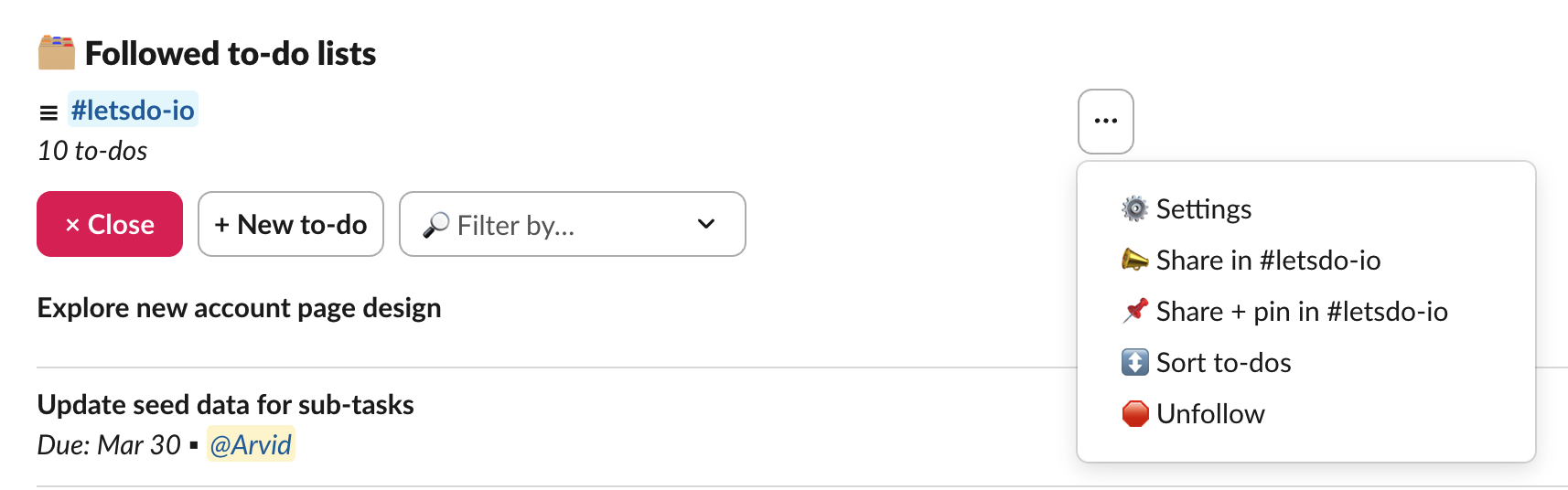
- Open the list settings from the "..." menu next to the list name on the Home tab, or from the pinned list's Settings button
- Use
/todo settingsin the channel - Click the "Enable" button in the check-in message you receive a few days after signing up
Configuring day and time
By default, the check-in is posted on Monday at 9:00 AM. You can change the day and time in the list settings.
The time is based on the timezone of the person who configured the check-in. Make sure your Slack timezone is set correctly in your Slack time zone settings.
When the check-in is skipped
If there was no task activity during the past week (no tasks completed, created, or overdue), the check-in is skipped for that week. This avoids posting empty summaries.
Team-wide default
Team owners can enable weekly check-ins by default for new pinned lists. This setting is available on the account page at Account settings. When enabled, any new list that is pinned to a channel will automatically have the weekly check-in turned on. Existing lists are not affected.
Availability
The weekly check-in is available on all plans, including the free plan.