
Quick answer
Slack is built for team communication; Asana, Jira, and Monday are built for structured project management. A small team (under ~15 people) that already lives in Slack usually does not need a second tool, a task app inside Slack covers assigning work, due dates, and follow-through without a separate board to maintain. A dedicated PM tool earns its place at larger scale, or when you need portfolios, dependencies, and complex multi-step workflows.
Almost every "Slack vs Asana" guide ends the same way: they're different tools, run both. That's the safe answer, and for a 200-person company it's usually right. But if you run a small team that already lives in Slack, there's a question nobody seems to answer: do you actually need the second tool at all, or are you about to pay for a board your team will quietly abandon in a month?
This is a head-to-head look at Slack (with a task app) versus dedicated PM tools like Asana, Jira, and Monday, written for teams under ~15 people. It covers what each one is for, what they really cost in 2026, the adoption problem that kills most rollouts, and the cases where a dedicated tool genuinely earns its place. If you want the step-by-step on setting up task management inside Slack, we have a separate guide on Slack project management.
Slack and Asana do different jobs
Start with what's true: Slack is built for conversation, and Asana, Jira, and Monday are built for execution and structure. That's why the standard advice is to integrate them and run both. The integrations are real, you can turn a Slack message into an Asana task, get board notifications in a channel, and so on.
But "different jobs" quietly assumes you need both jobs done by separate software. For a small team, the structure a heavy PM tool provides, portfolios, custom workflows, multiple board views, is often more than the work requires. As one small-business owner put it, "most teams just need a place to dump tasks and who owns it, not 400 automations." The risk isn't that the heavy tool is bad. It's that the setup overhead outlasts the team's patience. One r/Asana commenter described paying "for 20 people for a year" but never getting up and running because it "seemed too complicated to set up," then falling back to "Notion database for projects with Slack channels." A tool you paid for and nobody adopted is the worst case of all.
The real problem: the board nobody updates
This is the part almost no comparison page talks about, and for a small team it matters more than any feature. A separate PM tool only works if people keep it current. And people only keep it current when updating it is the fastest path, not an extra chore on top of the conversation they're already having in Slack.
One commenter on r/SaaS put the pattern better than any vendor page does: teams don't leave tools because they're missing features, they leave "because using them starts to feel like work. Once updating tasks takes more effort than the task itself, it's over." The same thread describes the familiar arc: "started with flexible tools, added more structure as we grew, then suddenly half the team stopped updating things because it got too heavy."
You see the end state on r/projectmanagement, where a team lead asked whether half of management is "just being a human reminder system," noting that the tool tells you the state of tickets but "the real coordination still happens offline and disappears into Slack." Once the board is behind, people stop trusting it, and the manager quietly becomes the tracker, chasing people for status.
The root cause is double entry. If the real conversation lives in Slack and the tasks live in Asana, every update has to be made in two places, and the second place loses. That friction feels tiny in the moment but happens dozens of times a week, and it's what makes separate boards go stale. A task tracker that lives inside Slack removes the second place entirely: the source of truth and the task list are the same surface.
What they actually cost (and the "paying twice" trap)
The other thing small teams underestimate is per-seat math. Almost every dedicated PM tool charges per user, per month, on top of the Slack seats you're already paying for. As one small-business owner put it on Reddit, per-seat pricing "always felt like getting taxed for hiring people." Another captured the scaling problem: "if a team grows from 4 to 7 people, the cost can suddenly double even though the value of the tool didn't really change." The math is concrete, a six-person team at roughly £8 to £12 per user lands at "£50 to £80+ per month" for the tool alone.
And the free tiers have been shrinking. Asana's free Personal plan, which used to cover up to 10 users, dropped to 2 seats for accounts created after November 12, 2025 (older legacy accounts keep the 10). Monday's free plan is also just 2 seats, and its paid plans carry a 3-seat minimum, so a 2-person team that outgrows free pays for 3 whether they use the third seat or not. The "we'll just use the free version" plan often expires the moment a third person joins.
For a six-person team on an entry paid tier, that's roughly $30 to $66 per month for the PM tool, on top of what you already pay Slack. That's the "paying twice" objection in concrete numbers.
Cost & fit comparison
This table focuses on cost and small-team fit, not a feature-by-feature breakdown (the heavy tools win on raw feature count, that's the point). For a comparison of tools that live inside Slack specifically, see Slack to-do list apps compared.
| Asana | Jira | Monday | Trello | ClickUp | Slack + Let's Do | |
|---|---|---|---|---|---|---|
| Free tier | 2 users | 10 users | 2 seats | 10 boards | Unlimited tasks | 5 users / 15 to-dos |
| Entry paid price | $10.99/user/mo | $7.91/user/mo | $9/user/mo | $5/user/mo | $7/user/mo | $14/mo flat |
| Cost for 6 people | ~$66/mo | ~$47/mo | ~$54/mo | ~$30/mo | ~$42/mo | $14/mo |
| Pricing model | Per seat | Per seat | Per seat | Per seat | Per seat | Flat per workspace |
| Lives inside Slack | Integration | Integration | Integration | Integration | Integration | ✓ Native |
| Dependencies / Gantt | ✓ | ✓ (Premium) | ✓ | Limited | ✓ | ✗ |
| Best for | Mid/large teams | Software / sprints | Ops-heavy teams | Simple boards | Power users | Small Slack teams |
Pricing shown with annual billing where available, on top of any existing Slack plan. Last verified June 2026, vendors reprice often, so check current pages before deciding.
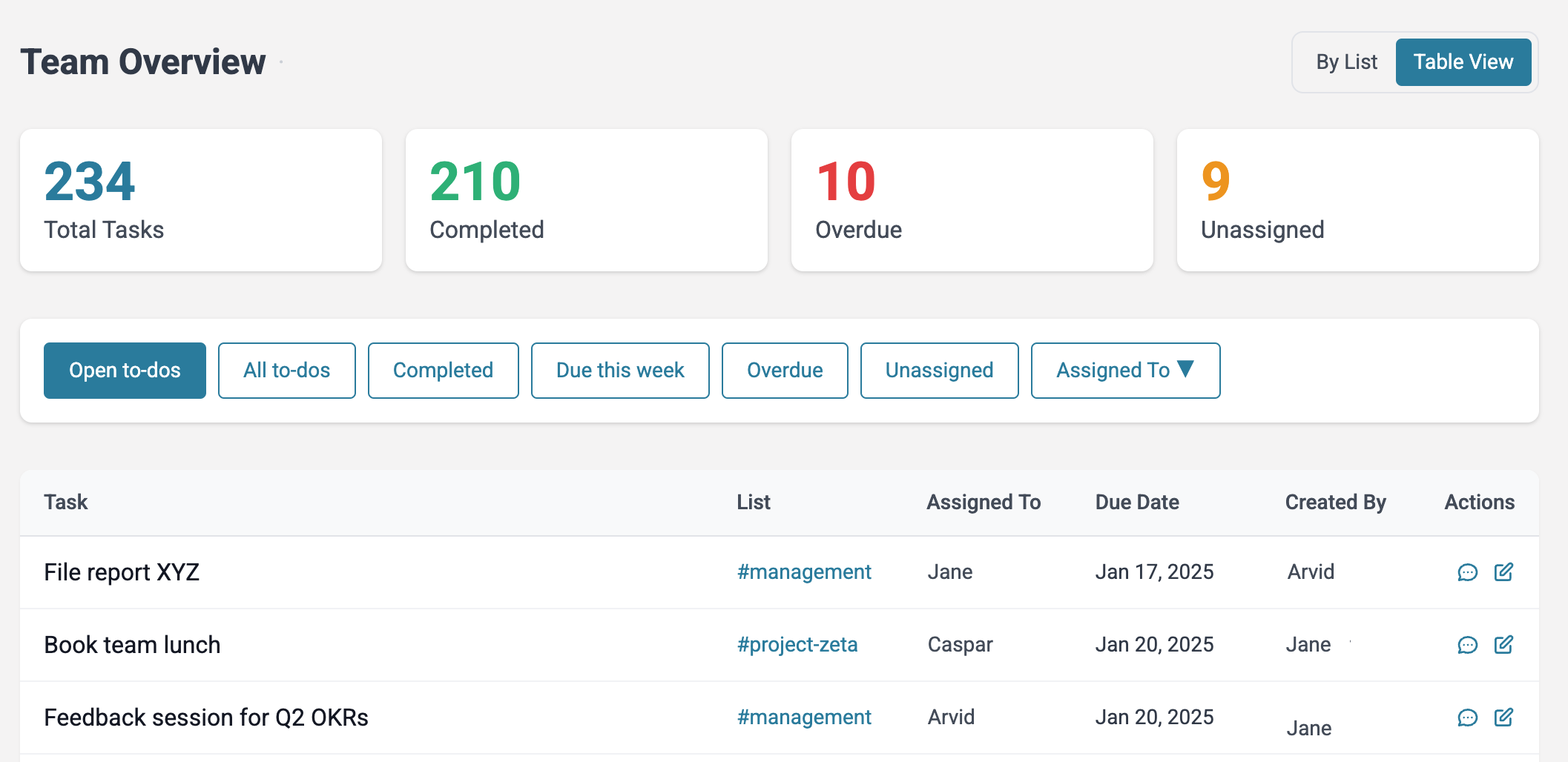
One row worth expanding on is "team overview." Even without a separate tool, a Slack-native app can show every task across your channels, who owns it and when it's due, in one view:
When you DO need Asana or Jira
Dedicated PM tools exist for good reasons, and a Slack-native task app stops being enough past a certain point. Reach for a real PM tool when you genuinely need:
- Task dependencies, where task B can't start until task A finishes, across a large plan.
- Gantt or timeline scheduling across multiple parallel workstreams.
- Resource and capacity planning, so you don't overbook the same people.
- Portfolios rolling many projects up to company goals.
- Sprints and story points for formal software development (this is Jira's home turf).
- Cross-team coordination with tight dependencies between departments.
If your team needs those, a Slack-native task list won't cut it, and you'll feel the ceiling quickly. Most of these tools integrate with Slack anyway, so the usual setup is the heavy tool for the heavy planning, Slack for the conversation.
A simple decision rule
It mostly comes down to one line:
Use a dedicated PM tool when complexity (dependencies, scheduling, resourcing) or scale (15+ people, or a dedicated project manager) forces it. Below that line, a Slack-native task layer beats a separate tool, because it kills the double-entry friction that makes separate boards go stale.
If your work is mostly lists of tasks with owners and due dates, and your team already lives in Slack, the separate board is usually the thing you'll abandon, not the thing that saves you.
The Slack-native middle ground
There's a third option between "just use Slack messages" (tasks scroll away and get lost) and "add a full PM tool" (a board nobody updates): a task app that lives inside Slack itself.
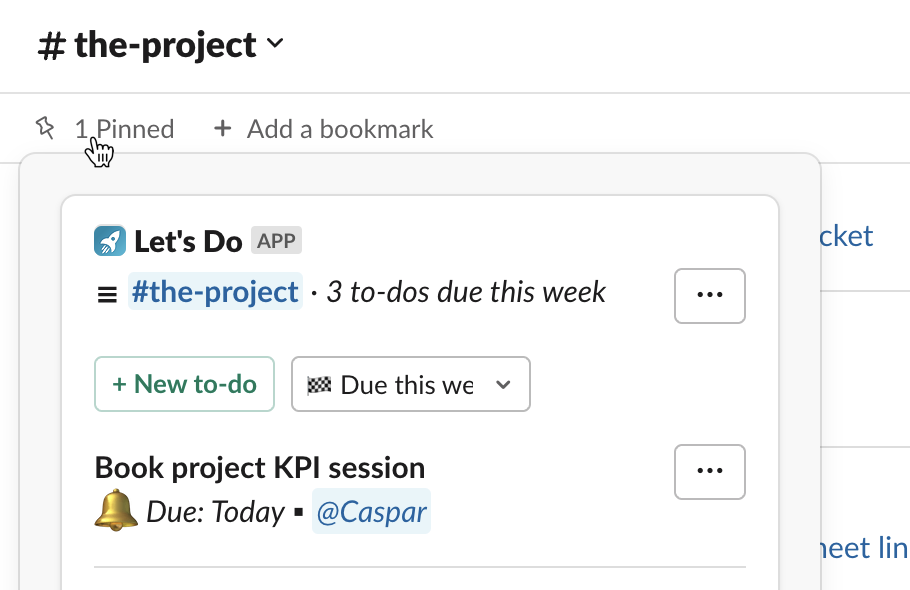
Let's Do is built for exactly this. It adds task lists to any Slack channel, with assignments, due dates, recurring tasks, subtasks, reminders, and a team overview, all without leaving Slack. Because the tasks live where the conversation already happens, there's no second place to keep in sync, which is the whole reason separate boards go stale. Pricing is flat per workspace rather than per seat, so it doesn't get more expensive as your team grows.
It won't replace Jira for a software team running sprints, and it's not trying to. But for a small team weighing whether to bolt on Asana or Monday, it's the option that actually gets used.
Frequently asked questions
Do I really need Asana or Jira if my team already uses Slack?
Not always. If your work is mostly tasks with owners and due dates, and your team is under about 15 people, a Slack-native task app often covers it without a second tool. You need a dedicated PM tool like Asana or Jira when you have real task dependencies, timeline scheduling across multiple workstreams, resource planning, or formal sprints.
Can Slack replace a project management tool for a small team?
Slack on its own is a communication tool, not a task tracker. But Slack plus a lightweight Slack-native task app (task lists in channels, assignments, due dates, recurring tasks) can replace a separate PM tool for many small teams. The advantage is that tasks live where the conversation already happens, so there's no second place to forget to update.
At what team size do you actually need a dedicated PM tool?
There's no hard number, but roughly 1 to 10 people is where a full PM tool is most often overkill, and 10 to 15 or more is where coordination overhead starts to justify the structure. Complexity matters more than headcount: dependencies, scheduling across teams, and resource planning are what really push you toward a dedicated tool.
Why does nobody on my team keep the Asana or Monday board updated?
Usually because the board lives somewhere other than where the team actually talks. If updates happen in Slack first and the board second, the board is always behind, so people stop trusting it and stop updating it. A task tracker that lives inside Slack removes that double-entry step, which is the friction that makes separate boards go stale.
Is Jira overkill for a team of five?
For most five-person teams, yes, unless you're a software team running formal sprints with story points, where Jira earns its place. For general task tracking, Jira's configuration and overhead tend to cost more time than they save at that size. A simpler tool anyone can pick up in minutes usually wins on adoption.
What's the cheapest way to manage tasks without paying for another per-seat tool on top of Slack?
A flat-priced Slack-native app avoids stacking per-seat costs on top of the Slack seats you already pay for. Most dedicated PM tools charge per user per month, so a growing team pays twice. A flat per-workspace price keeps the cost predictable regardless of team size.