
I use Slack's /remind command all the time. Quick, simple, built right in. Type /remind #team to update the board every Friday at 3pm and you're done. For personal nudges and quick channel reminders, it's genuinely great. But when I started managing more people and more projects, I kept running into the same question: "I reminded everyone, but did anyone actually do it?"
That question is where /remind stops being enough. If you need to know who is responsible for what, whether things got done, or what's overdue across your team, you need something more structured. This is actually why I ended up building Let's Do. But before I pitch my own solution, let me walk through where /remind falls short and what to look for in an alternative.
What /remind does well
Before looking at alternatives, it's worth acknowledging what Slack's built-in reminders are good at. They are genuinely useful for:
- Personal nudges —
/remind me to review the PR in 2 hoursworks perfectly for things only you need to remember - Channel reminders —
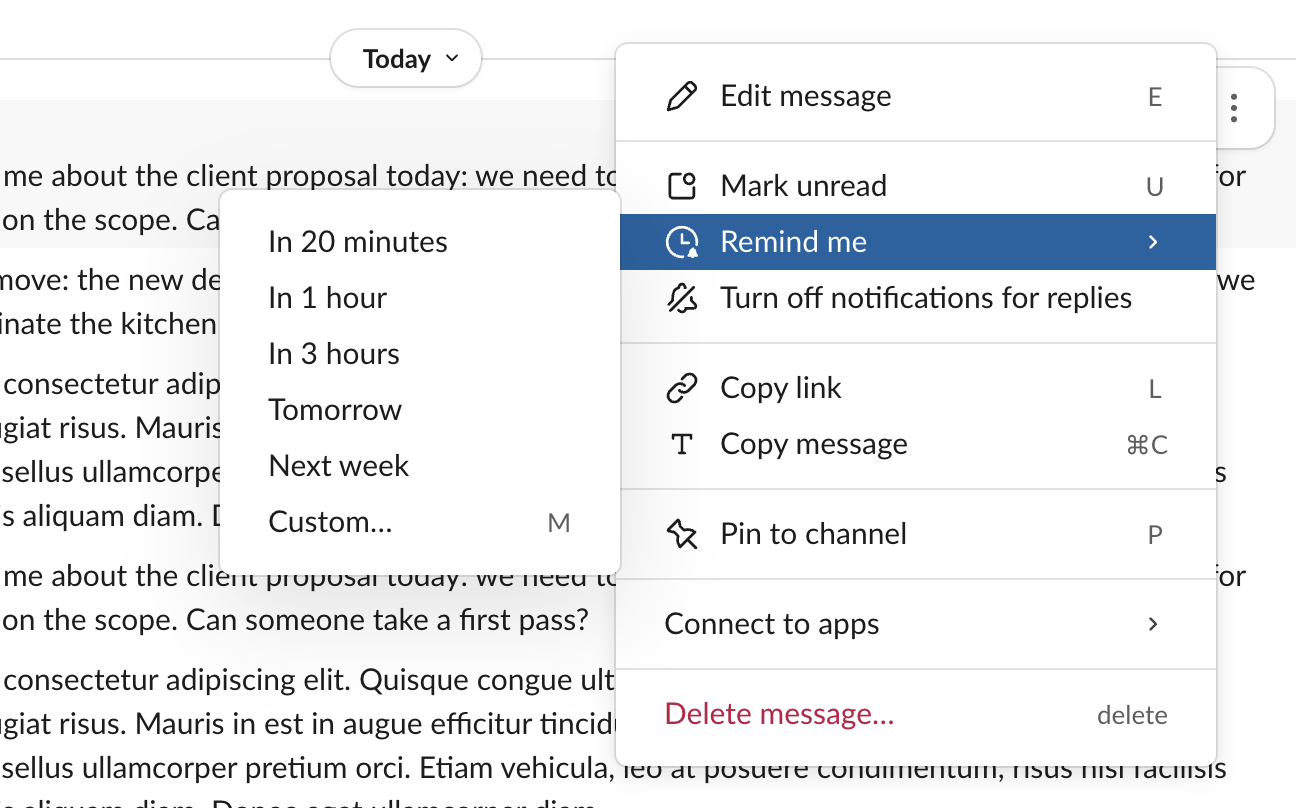
/remind #standup to post updates every weekday at 9amis simple and effective for routine nudges - Message reminders — The three-dot menu on any message lets you set a reminder to come back to it later
- Zero setup — No apps to install, no configuration. It just works.
If your needs stop here, /remind is the right tool. No reason to add complexity. But for many teams, these simple reminders gradually stop being enough.
For a full walkthrough of the /remind syntax and features, see our complete guide to Slack reminders.
Where /remind breaks down
Here is what I noticed as the team grew and the work got more complex:
"I reminded the channel, but nobody did it"
This is the one that got me. I'd set a channel reminder for something important, and a week later realize nobody had actually done it. The reminder appeared, scrolled away in the channel, and that was it. There is no concept of ownership. Nobody is assigned to act on it, and there is no way to tell if anyone did.
"The reminder fired, but I forgot to check if it was done"
I've snoozed a reminder, gotten busy, and completely forgotten about it. There is no history, no completion status, no way to look back and confirm the thing actually happened. For work that matters, "I think I did that" is not a great answer.
"I need this to repeat every two weeks with specific subtasks"
/remind supports basic recurrence like "every Monday," "every weekday," or "every two weeks." But there is no way to attach subtasks, descriptions, or assignments to a recurring reminder. If your recurring work has multiple steps or involves different people, you end up recreating the same structure manually each time. For more on this, see our guide on recurring tasks in Slack.
"I can't see what everyone is working on"
Slack reminders are personal by nature. There is no dashboard, no team view, no way to see all the things that need to happen across your team. If you are managing a project or leading a team, you have no visibility into whether things are on track.
"The reminder disappeared and I lost track"
Reminders vanish once you dismiss them. There is no searchable log of what was reminded, no record of whether it happened. Important things can slip through without anyone noticing.
What to look for in a Slack task management app
If any of the above sounds familiar, it might be time to look at a dedicated task management app that works inside Slack. There are a few good tools out there, from standup-focused ones like Geekbot to broader project trackers like Workast. Here is what I think matters most:
- Assignments with notifications — Clear ownership for every task. The assigned person gets notified and the rest of the team can see who is responsible.
- Due dates with automatic reminders — Tasks with deadlines that trigger reminders when things are due or overdue. No manual
/remindneeded. - Recurring tasks with custom intervals — Tasks that automatically recreate on a schedule, carrying over subtasks, assignments, and descriptions each time.
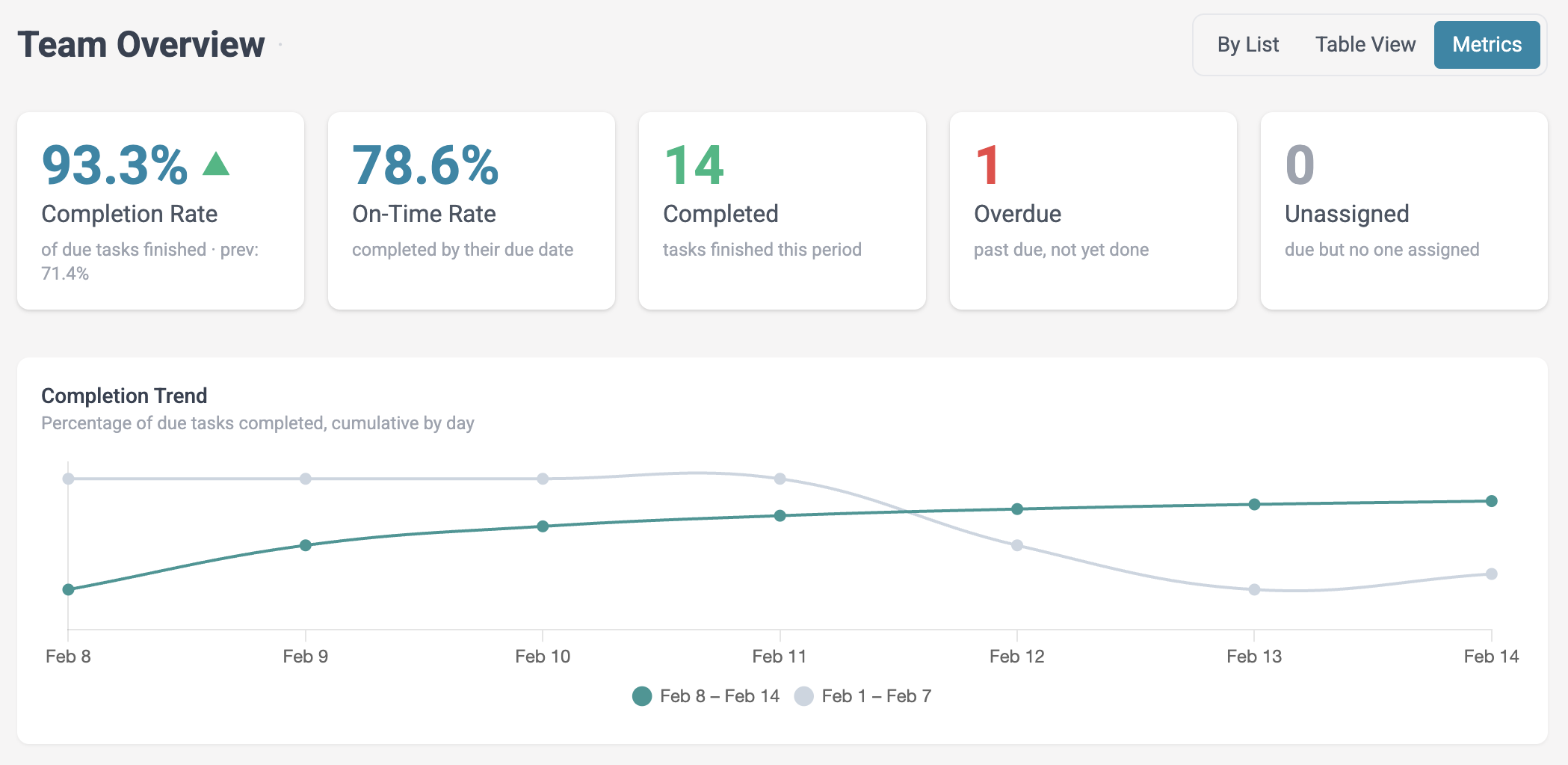
- Team visibility — A dashboard or overview showing all tasks, who they are assigned to, what's overdue, and what's coming up.
- Channel-based organization — Tasks that live in the same Slack channels where your team already communicates, so context stays together.
- Works on Slack's free plan — Not every team can justify upgrading Slack just for task management. A good app works regardless of your Slack plan.
If you want to jump ahead and try one that checks all these boxes, you can try Let's Do free for 14 days. Otherwise, keep reading for a more detailed comparison.
How Let's Do solves these problems
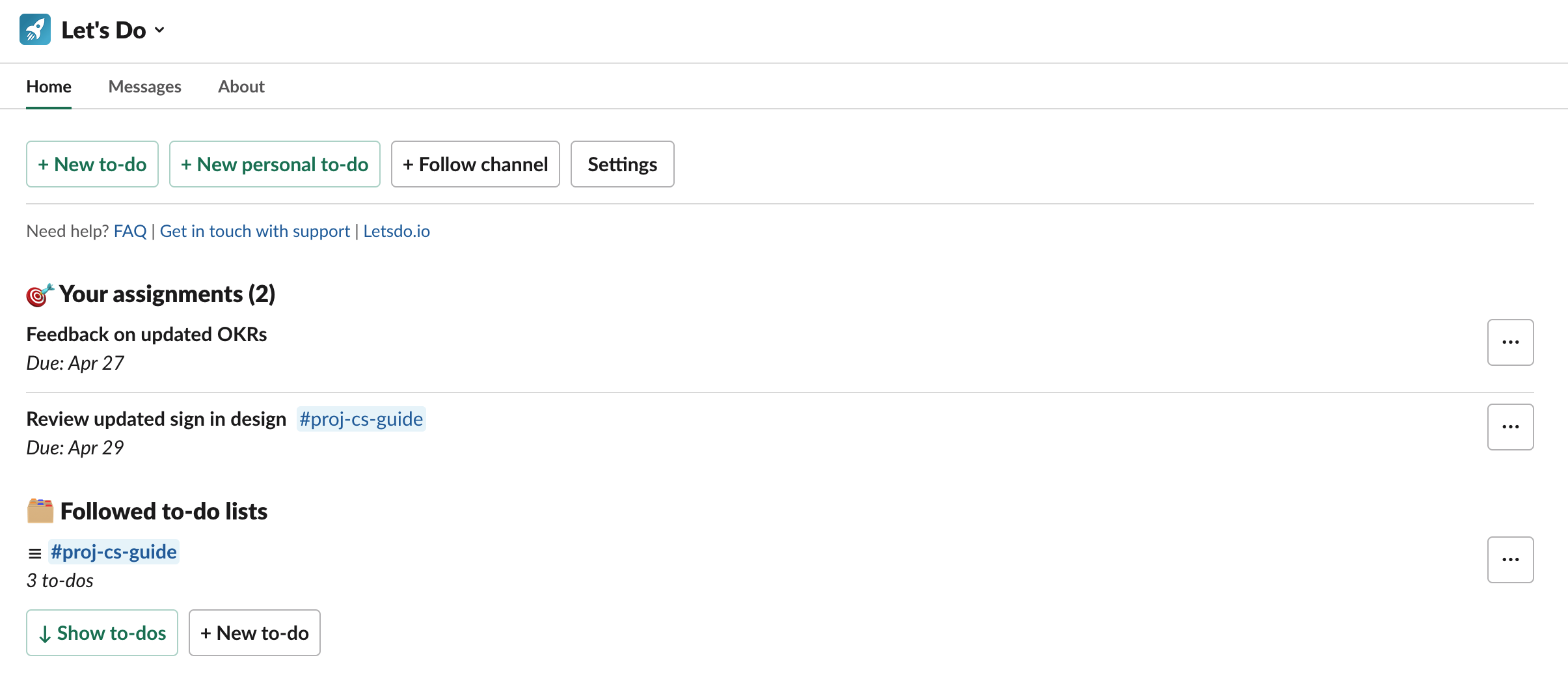
Let's Do is the task management app I built for Slack, specifically because I kept running into the problems described above. The idea was simple: take the things that /remind cannot do and make them work without leaving Slack. Here is what that looks like in practice:
- Clear assignments — Every task can be assigned to specific team members. Assignees get notified, and everyone in the channel can see who owns what.
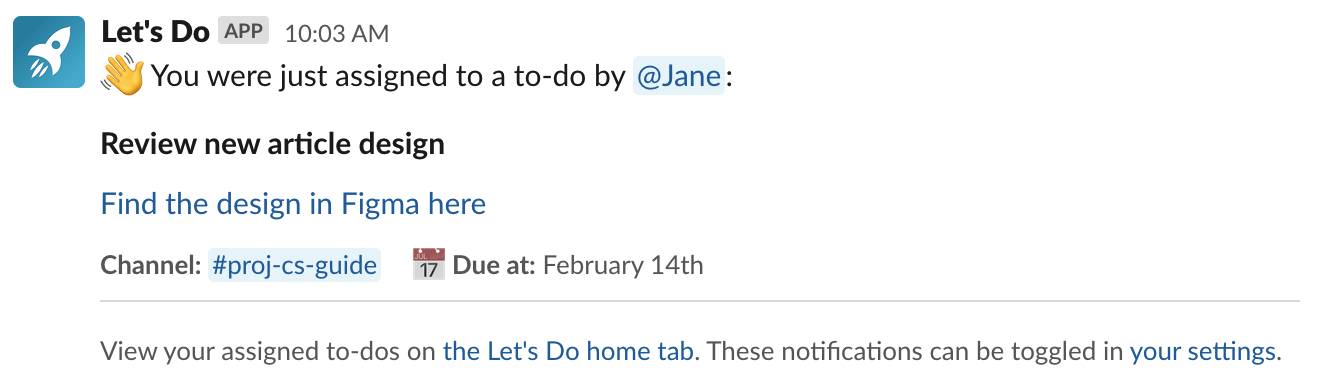
- Automatic due date reminders — Set a due date and Let's Do handles the rest. Team members get daily reminders for tasks that are due or overdue, delivered at a time that suits their schedule.
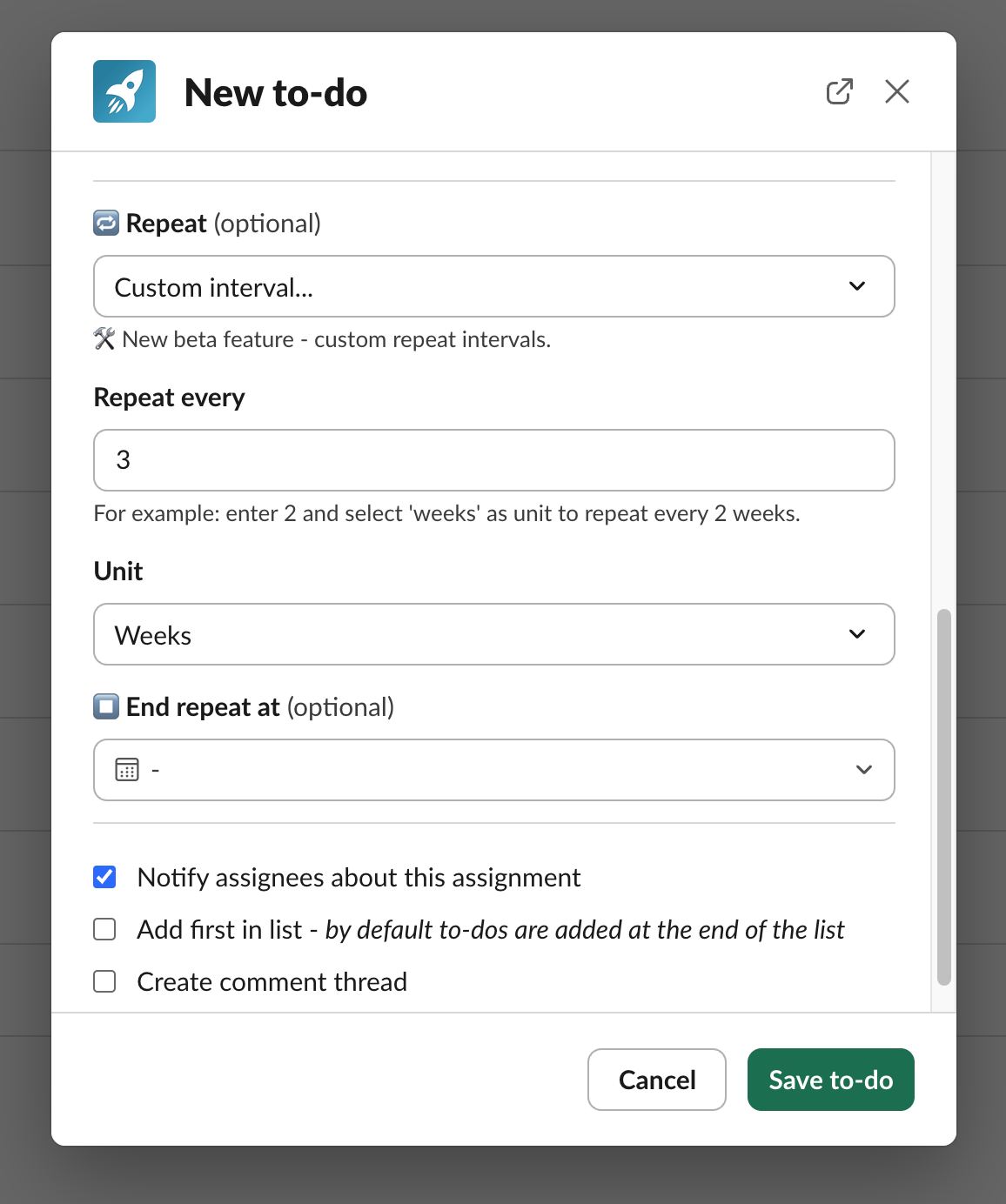
- Recurring tasks — Tasks that automatically recreate on daily, weekly, monthly, or custom schedules. Subtasks, assignments, and descriptions carry over each time.
- Team overview — A dashboard view showing all tasks across every channel: what's open, what's overdue, what's assigned to whom.
- Channel-based task lists — Each Slack channel gets its own task list. Tasks live where the conversations happen, so context is never lost.
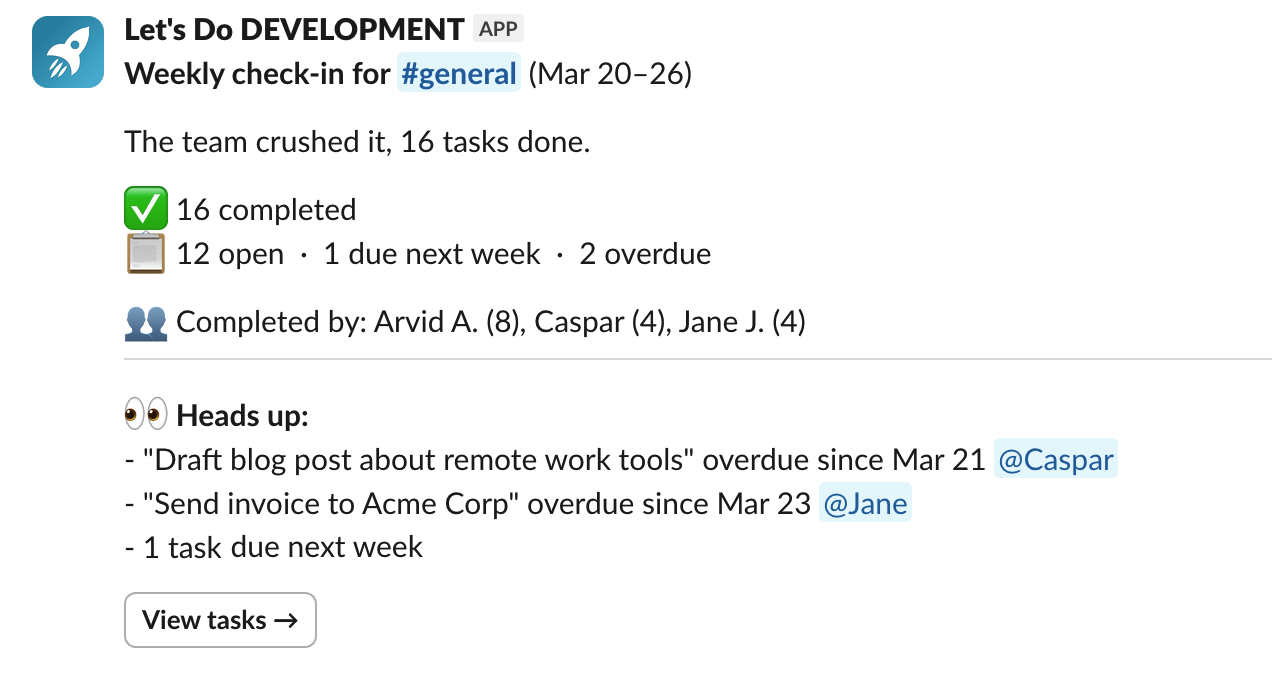
- Weekly check-ins — Automatic weekly progress summaries posted to channels, showing what got done, what's still open, and who contributed.
Unlike a reminder that fires once and disappears, a task persists. It shows up in the team overview, it triggers daily reminders, and it has a clear completion status.
Comparison: /remind vs Workflow Builder vs task management
Here is where the differences matter most:
| /remind | Workflow Builder | Task management app | |
|---|---|---|---|
| Assign to people | No | No | Yes |
| Due dates | No | No | Yes |
| Recurring | Basic | Yes | Yes, with subtasks |
| Completion tracking | No | No | Yes |
| Team overview | No | No | Yes |
| Works on free Slack | Yes | No | Yes |
| Setup effort | None | Moderate | Low |
| Cost | Free | Requires Slack Pro ($7.25/user/mo) | From $14/mo flat |
Frequently asked questions
Can Slack reminders assign tasks to team members?
No. Slack's /remind command sends notifications but cannot assign tasks, track ownership, or confirm completion. For task assignments in Slack, you need a dedicated task management app that supports assignees, due dates, and completion tracking.
What is the difference between Slack reminders and task management?
Slack reminders are one-way notifications that fire at a scheduled time and disappear once dismissed. Task management provides what reminders do not: persistent lists with assignments, due dates, subtasks, and completion tracking. Reminders tell you to do something. Task management tracks whether it got done.
Do Slack reminder alternatives work on the free Slack plan?
Yes. Third-party Slack task management apps like Let's Do work on all Slack plans, including the free plan. This is an advantage over Slack's Workflow Builder and Slack Lists, which both require paid Slack plans.
Can I set up recurring tasks in Slack without using /remind?
Yes. Apps like Let's Do support recurring tasks that automatically recreate on a schedule with full task structure, including assignees, subtasks, and due dates. Unlike /remind, recurring tasks persist until completed and carry over all their context each time.
Is Let's Do free?
Let's Do offers a free trial with full access to all features. After the trial, it is free for small teams. Paid plans start at $14/month flat rate per workspace, with no per-user fees. It works on all Slack plans including free Slack. See pricing details.
What is the best Slack task management app?
It depends on your needs. For teams that want simple task management inside Slack with assignments, due dates, recurring tasks, and a team overview, Let's Do is designed specifically for that. For standup-focused workflows, Geekbot is popular. For broader project management, tools like Asana or Monday have Slack integrations but live outside of Slack.
Making the switch
If /remind still covers your needs, there is no reason to change. I still use it for personal nudges, and it works great for that. But if you have been copy-pasting the same reminder every week, wondering whether things actually got done, or wishing you could see what your team is working on, something more structured makes a real difference.
The thing is, you do not have to choose one or the other. Many teams keep using /remind for personal nudges while adding a task management app for shared work. The two complement each other well.
Give Let's Do a try for 14 days free and see if it fills the gaps that /remind leaves behind.